The calorie counter you barely use
Take the photo.
Then forget about it.
Lazy Calories finds food photos in your camera roll, estimates the calories, and puts today's progress where you can glance at it. No searching. No meal-by-meal admin.
Available on Android
1,340 of 2,100 cal · on pace
Available on Google Play
Install it.
Then take the photo.
Get Lazy Calories on your Android phone. Allow photo access and notifications so your food photos can become calorie estimates you can check at a glance.
01 / THE POINT
Most calorie apps ask for your attention.
This one gives it back.
Tracking usually turns lunch into data entry. Lazy Calories starts with a thing you may already do: take a photo. The useful part follows you in a quiet, ongoing notification.
02 / THE WHOLE ROUTINE
Take a photo.
Check back later.
-
1
Take a food photo
Use your normal camera. Lazy Calories reads the photos from your camera roll. You do not need to open Lazy Calories first.
-
2
Glance when you care
A little later, your calorie count is waiting in the ongoing notification.
Background photo access and notifications require your permission. Food analysis may use a hosted AI service.
03 / READ THE DAY
The face tells you first.
You should not have to parse a dashboard to know how lunch went. The notification changes with your pace, then adds a short suggestion based on the day so far.
04 / THE ESCAPE HATCH
Open the app only when the app needs help.
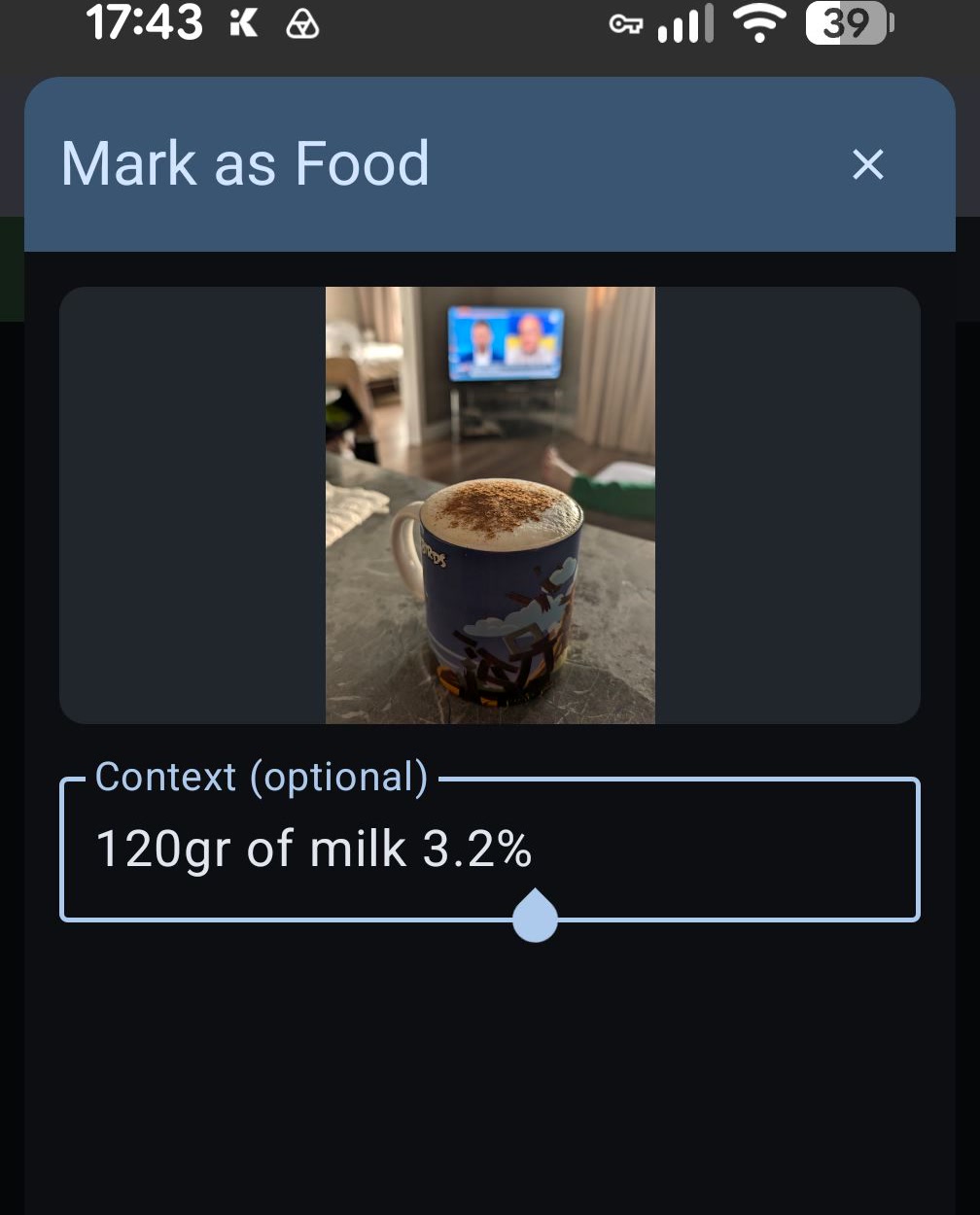
AI will miss things. A small coffee can hide a lot of milk. Two photos may belong to one meal. Open Lazy Calories to add context, change the estimate, group photos, or mark something as food. Then leave again.
- 01Fix calories or serving count
- 02Add a clue such as "120g whole milk"
- 03Recover a photo it did not recognize
IF YOU DO OPEN IT
The details are there. They just do not chase you.
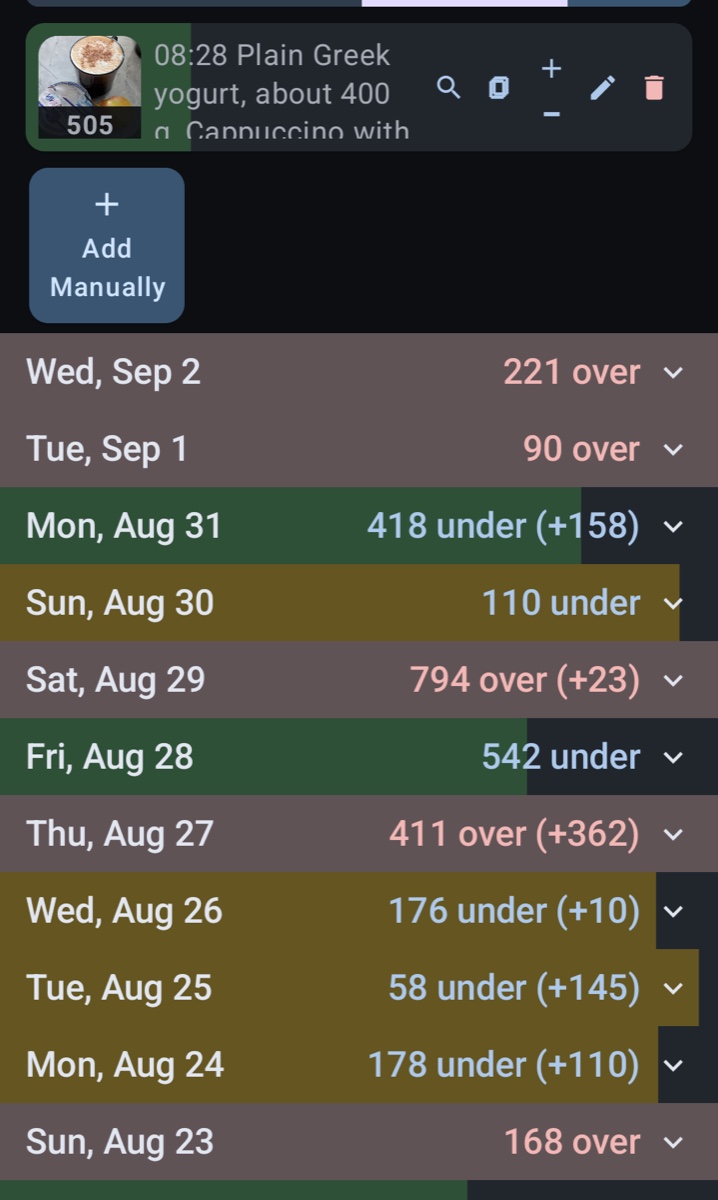
Review meal photos, estimated macros, and daily totals in one timeline. Daily progress stays simple enough to scan and leave.
More activity can mean more room in your calorie budget. With your permission, Lazy Calories reads activity calories from Health Connect and adds them to your daily budget. The (+) amount shows that extra allowance.
Quiet includes your data
Your camera roll is not our feed.
Meal records live in the app's local database. Initial photo labeling happens on your device. Hosted AI processes selected photos or text with useful context. App-created backups also contain meal records and photo references.
A random app ID links hosted usage and applies AI limits. Backups can preserve it after reinstalling; recovery depends on your settings and an available backup. Read the policy for data flows, retention, and deletion controls.
- 01Selected photo access
- 02Local meal records
- 03Optional health data
- 04No website trackers